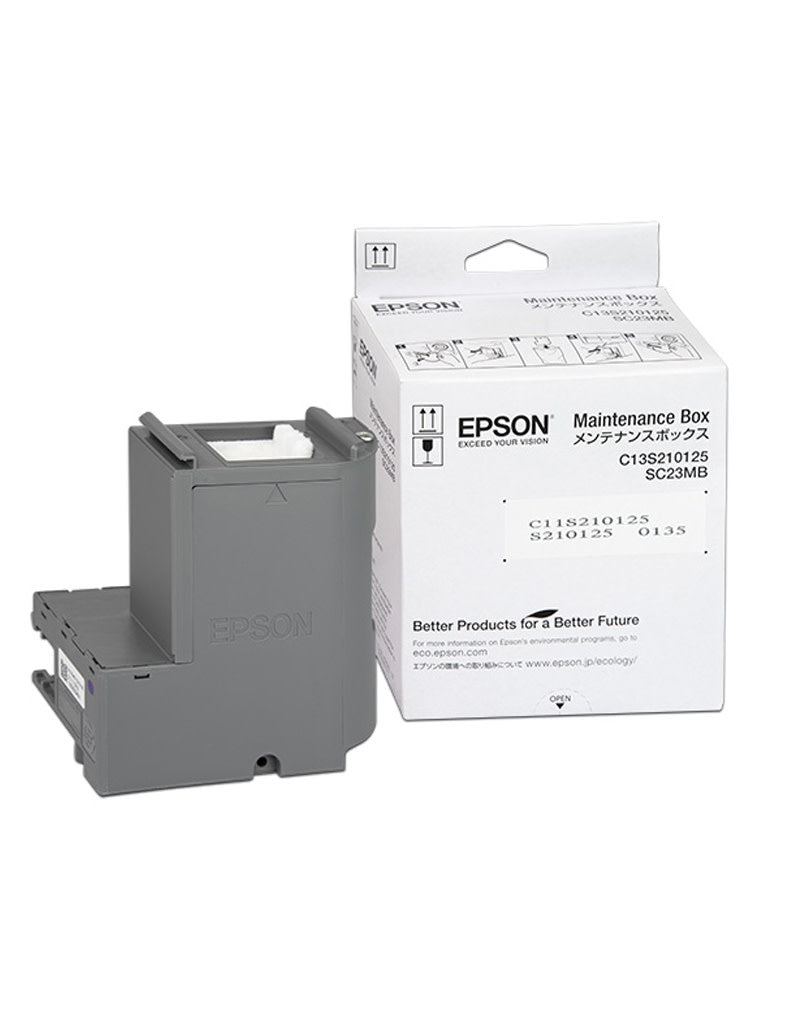
Epson SC23MB / C13S210125 Genuine Maintenance Box for SureColor SC-F100 SC-F150 SC-F170
Epson SC23MB / C13S210125 Genuine Maintenance Box for SureColor SC-F100 SC-F150 SC-F170
Add items worth Dhs. 30.00 to your cart to enjoy free delivery on orders above 200 AED.
11 in stock
Couldn't load pickup availability
Epson SC23MB Genuine Maintenance Box for SureColor Printers
The genuine Epson...
Product Description
Product Description
Epson SC23MB Genuine Maintenance Box for SureColor Printers
The genuine Epson SC23MB maintenance box (C13S210125) collects waste ink during printing and head-cleaning cycles in the SureColor sublimation printers listed below. It helps contain waste ink and protect your printer during everyday dye-sublimation printing in Dubai and across the UAE.
Compatible printers
- Epson SureColor SC-F100
- Epson SureColor SC-F150
- Epson SureColor SC-F170
Product details
- Brand: Epson (Genuine)
- Part references: SC23MB / C13S210125 / S210125
- Type: Waste ink maintenance box
- Barcode: 010343962927
- Printer application: Dye-sublimation ink systems in the listed models
Why replace the maintenance box?
- Replace it when your printer displays a “Maintenance Box Full” warning.
- A replacement helps prevent waste ink overflow and associated printer damage.
- Supports continued sublimation printing when the existing maintenance box is full.
- The listing specifies plug-and-replace installation without tools.
Match your printer model and maintenance box reference before ordering.
Questions & Answers
Is this a genuine Epson maintenance box?
Yes. This listing is for a genuine Epson SC23MB waste ink maintenance box.
Which part references identify this product?
The listed references are SC23MB, C13S210125 and S210125.
Which SureColor printers are compatible?
The listed compatible models are Epson SureColor SC-F100, SC-F150 and SC-F170.
What does the maintenance box collect?
It collects waste ink produced during printing and print head cleaning cycles.
When should the maintenance box be replaced?
Replace it when the printer displays a “Maintenance Box Full” warning.
Are tools needed for replacement?
The existing product information specifies plug-and-replace installation with no tools needed.
Share